"Life Owner" will take over all of our lives and get all of our information off of our PC's!
Uhhh, no? I received an email today from a friend which warned me of the hacker "Lifeowner" and how he will take over my PC if I open a power point presentation in an email. This is what the email said:
Anyone-using Internet mail such as Yahoo , Hotmail, AOL and so on.
This information arrived this morning, Direct from both Microsoft and Norton.
Please send it to everybody you know who has access to the Internet.
You may receive an apparently harmless e-mail with a Power Point presentation " Life is Beautiful"
If you receive it DO NOT OPEN THE FILE UNDER ANY CIRCUMSTANCES, and delete it immediately. If you open this file, a message will appear on your screen saying:
"It is too late now, your life is no longer beautiful."
Subsequently you will LOSE EVERYTHING IN YOUR PC, And the person who sent it to you will gain access to your name, e-mail and password. This is a new virus which started to circulate on Saturday afternoon. AOL has already confirmed the severity, and the anti virus software's are not capable of destroying it. The virus has been created by a hacker who calls himself "lifeowner".
PLEASE SEND A COPY OF THIS E-MAIL TO ALL YOUR FRIENDS , And ask them to
PASS IT ON IMMEDIATELY!
THIS HAS BEEN CONFIRMED BY SNOPES
Okay, so the first thing I think about when I see things like this is; "Uhhh, I'm on Linux. That makes me protected, and you stupid." Second, with a quick Google search, I verified that my instinct was correct. This is a large, funny, hoax. Nothing more. It seems that it has been in circulation for quite a while, (2002(1)) and if you think about it, it should never have gotten so far. For the "attachment" to do what it claims it does, it would have to be a program, a *.exe file, not a powerpoint presentation. It just can't be done. So, for all those people out there, this email is a Hoax, there is no danger, and you can stop forwarding that stupid message. QED.
Further Reading.
Thursday, February 7, 2008

Tuesday, February 5, 2008
Color Inversion
So, after an "accidental" accident with my computer, I am stuck using Linux for now. Windows won't boot. To tell you all the truth though, I think it is rather a bonus. Windows being in an inoperable state made the computer better. Anyways, I was busying working on homework and I hit something, and for some reason, that flipped all the colors on my screen. All of them. Every color became its inverse. To tell you the truth, it looked f***ing awesome. Here are some pictures:

 The desktop image actually didn't change, but the other windows did. Pretty cool eh?


 The desktop image actually didn't change, but the other windows did. Pretty cool eh?
Sunday, February 3, 2008
Leopard Installation: So close I can taste it!
It hurts, it really does. How close I am to having OS X Leopard on my computer. I am using Kalyway's installation DVD, which my friend, who owns a Mac, burned for me. I got the DVD off a torrent site, but after some reading I found out that it could only be unzipped on a Mac. Which sucks, because at the moment, I don't have one. However, I handed it over to my friend via Flash Drive, and had him burn it to a DVD for me. The results? Beautiful.
I had used iAtkos's DVD installation for Leopard and a JAS' Tiger installation DVD and both got me to the same place. After starting to load the DVD it gave me the loving error: "Still waiting for root device." The dreaded one which no one can seem to get passed. Oh it is terrible. However, I popped the Kalyway DVD in and put it in verbose mode, and watched as it loaded HFS+ (Macs file system) files, and Drivers again and again. It loaded many of them, maybe even a hundred. They just kept coming and it made me happy. The other DVD's only loaded about 4 of them before booting. However, Kalyway came to the same place as the other DVD's had come to and paused. And then gave some weird messages. And paused again. And then gave some more messages. And then kept going. It loaded all the way. Right into the installation. I had already picked out a partition for it to be on, and without much trouble, formated it and went ahead. First time through I forgot to pick custom installation. Second time through I forgot to choose Vanilla Kernel. Third time through, it all went smoothly. Leopard installed on my computer.
....
So why am I only "So close"? Because I can't get passed the welcome screen. OS X leopard doesn't recognize my keyboard, duh, it isn't a mac one. It gets angry at me, but finally gets over it. Then, right before booting up the desktop, it asks if I want to import anything. Uhhh.... no? I don't have another mac. But when I skip that part, it pauses, and the loops back to the beginning. I can't get passed it. An endless loop. I am so close.... so close.... one more step.... and I just can't do it! If you have any insight on how to get by this, let me know!
Oh, I forgot to mention that in the process of getting Leopard to work, I left Windows in an nonoperational state. A change for the better methinks...
I had used iAtkos's DVD installation for Leopard and a JAS' Tiger installation DVD and both got me to the same place. After starting to load the DVD it gave me the loving error: "Still waiting for root device." The dreaded one which no one can seem to get passed. Oh it is terrible. However, I popped the Kalyway DVD in and put it in verbose mode, and watched as it loaded HFS+ (Macs file system) files, and Drivers again and again. It loaded many of them, maybe even a hundred. They just kept coming and it made me happy. The other DVD's only loaded about 4 of them before booting. However, Kalyway came to the same place as the other DVD's had come to and paused. And then gave some weird messages. And paused again. And then gave some more messages. And then kept going. It loaded all the way. Right into the installation. I had already picked out a partition for it to be on, and without much trouble, formated it and went ahead. First time through I forgot to pick custom installation. Second time through I forgot to choose Vanilla Kernel. Third time through, it all went smoothly. Leopard installed on my computer.
....
So why am I only "So close"? Because I can't get passed the welcome screen. OS X leopard doesn't recognize my keyboard, duh, it isn't a mac one. It gets angry at me, but finally gets over it. Then, right before booting up the desktop, it asks if I want to import anything. Uhhh.... no? I don't have another mac. But when I skip that part, it pauses, and the loops back to the beginning. I can't get passed it. An endless loop. I am so close.... so close.... one more step.... and I just can't do it! If you have any insight on how to get by this, let me know!
Oh, I forgot to mention that in the process of getting Leopard to work, I left Windows in an nonoperational state. A change for the better methinks...
Comparison: Macs and PC's ~ Prices
So are Macs really more expensive than PC's? Come on, you can just say that.
Uh, actually, I can. I went to an Apple store and looked around. I am interested in buying a laptop to continue my enterprises afar, and so I have been contemplating a Mac. So what did I learn? Macs are a lot more expensive. You can't push it any other way. You can talk about a whole bunch of stuff, but when you look at it, Macs are more expensive. For example, I was looking at some laptops, and the one I would like to buy cost about $2,600-$2,800 not counting tax at all. What would I get?
2.2 - 2.4 GHz Processor
2-4 GB of Ram
250 GB Hard Drive
And that was really it. For a larger Mac laptop I could get a better graphics card, but that was it. I then headed over to Cosco, and looked at the laptops there. The conclusion? For about half as much money as the Macs, I could get a PC with equal, it not better specs. You can argue a whole bunch of stuff, like OS's, and productivity software, but really, half? That is a lot less money to spend. So it really comes down to what I want. And I don't know if having a Mac would justify the money it would cost. I could get a ton more power out of a laptop for the same money from a Mac. So what do I want? What do I need the laptop for... that is the question...
Uh, actually, I can. I went to an Apple store and looked around. I am interested in buying a laptop to continue my enterprises afar, and so I have been contemplating a Mac. So what did I learn? Macs are a lot more expensive. You can't push it any other way. You can talk about a whole bunch of stuff, but when you look at it, Macs are more expensive. For example, I was looking at some laptops, and the one I would like to buy cost about $2,600-$2,800 not counting tax at all. What would I get?
2.2 - 2.4 GHz Processor
2-4 GB of Ram
250 GB Hard Drive
And that was really it. For a larger Mac laptop I could get a better graphics card, but that was it. I then headed over to Cosco, and looked at the laptops there. The conclusion? For about half as much money as the Macs, I could get a PC with equal, it not better specs. You can argue a whole bunch of stuff, like OS's, and productivity software, but really, half? That is a lot less money to spend. So it really comes down to what I want. And I don't know if having a Mac would justify the money it would cost. I could get a ton more power out of a laptop for the same money from a Mac. So what do I want? What do I need the laptop for... that is the question...
PhP Page Forwarding and Frames
In my web page, which you can sign on, there are frames. Not a problem. However, I added a page forwarding once a user has logged on, and in doing so, messed up the frames. Once a user logged on, it ended up looking like this:
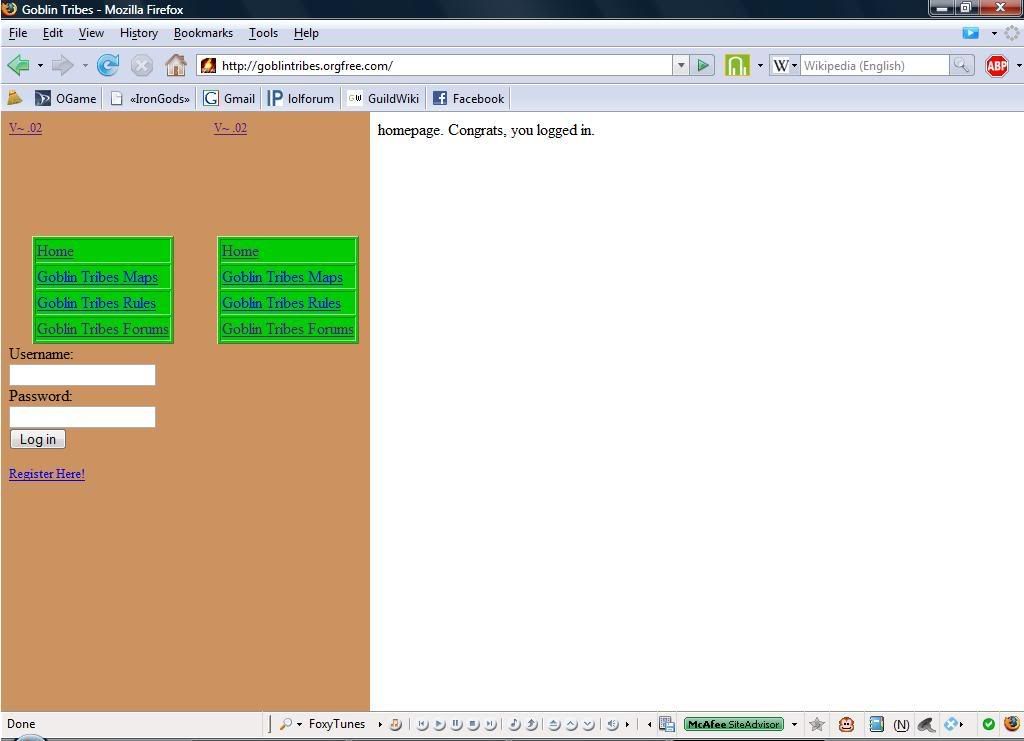 Not so hot for a user. However, a user on the Devshed forums (kane007) was able to give me this snippet of code: (which for some reason won't show up....)
Which I put in the correct page, and now it works! Success, logging in now gives you nice new frames. Basically, what the code above you says is: If the frames on the page would be greater than 100%, then fix it.
Not so hot for a user. However, a user on the Devshed forums (kane007) was able to give me this snippet of code: (which for some reason won't show up....)Which I put in the correct page, and now it works! Success, logging in now gives you nice new frames. Basically, what the code above you says is: If the frames on the page would be greater than 100%, then fix it.
Friday, February 1, 2008
Vista Hearts doesn't support Shooting the Sun
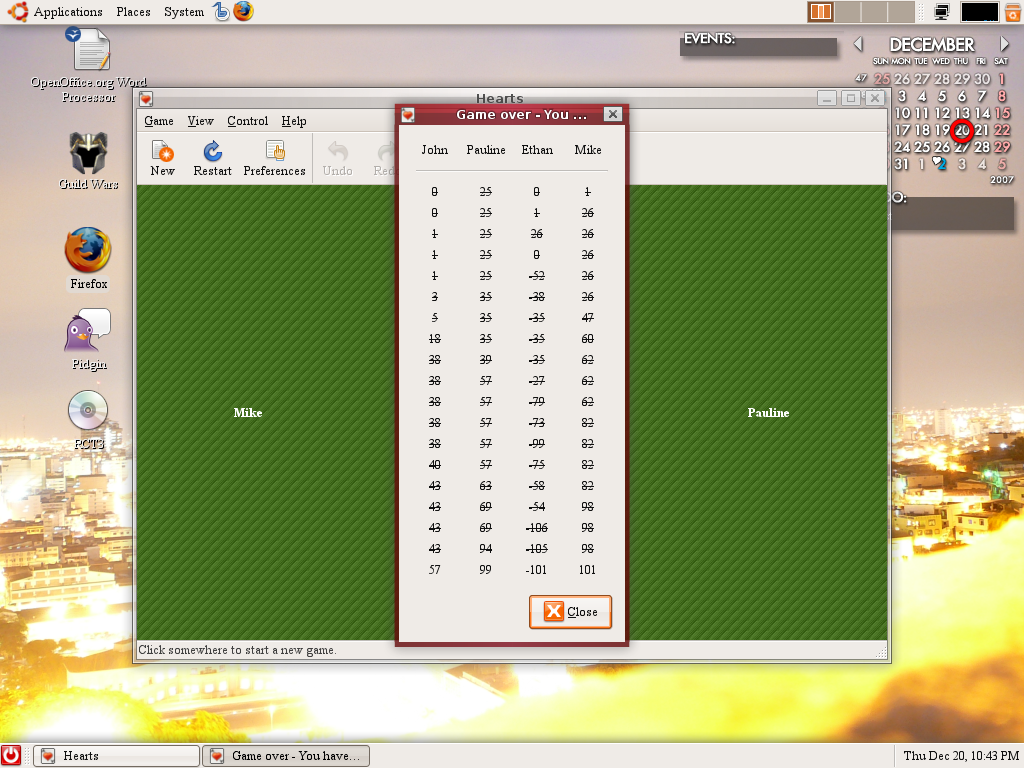
The version of hearts on Windows Vista does not support Shooting the Sun. Which pisses me off because I just did it. I had a gorgeous hand with many spades, and with high cards of the other suits, I manged to take every trick. Every single one. However, at the end, it only saw it as shooting the moon. Shooting the Sun is a recognized move (1,2,3) and it gives all your opponents 52 points (or you can lose 52). While it is a variant of the game, it should still be supported as the Linux version of hearts does (1). So, what is my point? Fix it. Go bug Microsoft. Because if you have enough talent to take every trick, you should be rewarded.
Safari
Well, here I am again, downloading Safari. I tried it out a while ago, and while it wasn't bad, it just wasn't as good as Firefox. So why am I downloading it again? To see it try out the Acid2 web standard test.
For those who are not familiar, the Acid2 test was created to test html and CSS standards for web browsers. Basically you go the site and click take the test. What you are supposed to see is a picture of a smiley face. What you actually may see looks more like this:
For those who are not familiar, the Acid2 test was created to test html and CSS standards for web browsers. Basically you go the site and click take the test. What you are supposed to see is a picture of a smiley face. What you actually may see looks more like this:
Firefox: Internet Explorer 7:
  (Is that a text box?)

Internet Explorer 7: (Is that a text box?)Or Safari:
From looking at those pictures, Safari is the only one which correctly renders the test. Which actually makes me very sad as I am a huge Firefox fan. However, I will make the point that Firefox does do a much better job than Internet Explorer in this test. However, I will mention for all those happy Safari people out there. Once Safari has correctly rendered the image, refresh the page and scroll a bit. You will see quickly that won't do it again. Interesting....
Subscribe to:
Posts (Atom)

 Posts
Posts